
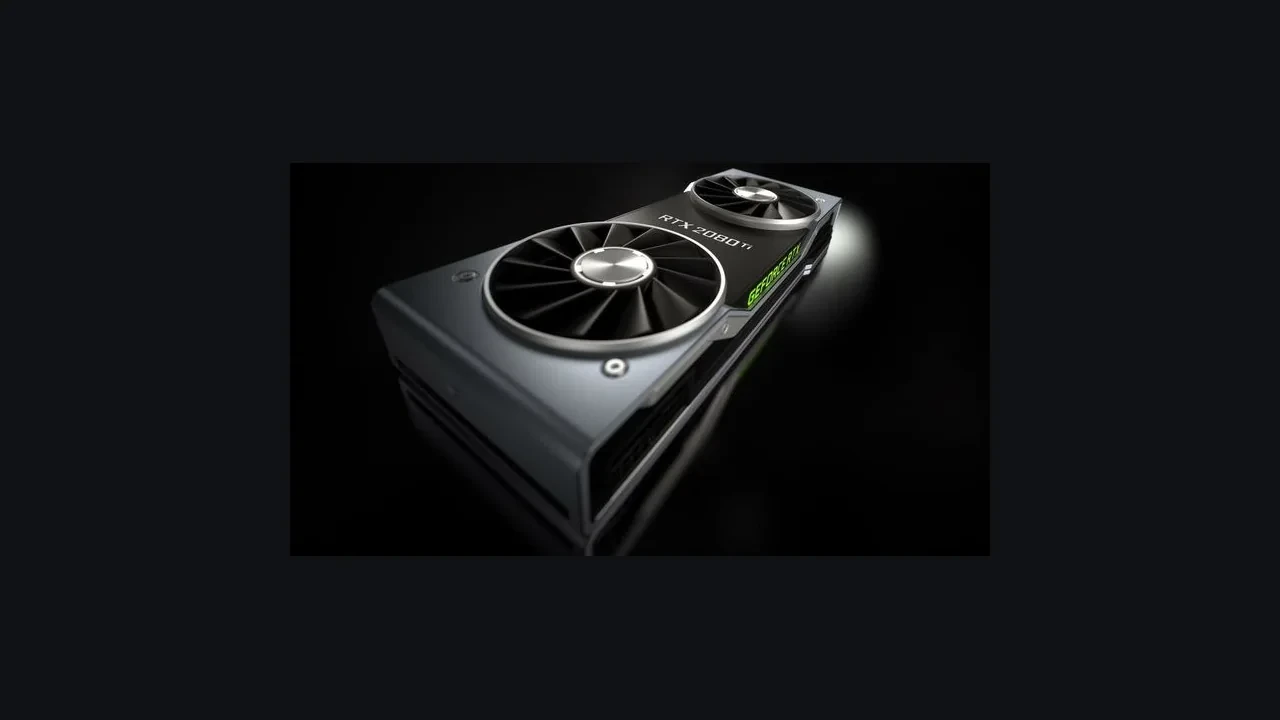
GeForce RTX 2070 DLSS 5 compatibility on desktop
NVIDIA has not announced DLSS 5 launch support for the desktop GeForce RTX 2070, and later support remains unknown. For now, this Turing card tops out at DLSS 4.5 Super Resolution and Ray Reconstruction, the level listed for RTX 20 series hardware in NVIDIA’s compatibility material.
That leaves owners with a practical choice: keep using DLSS 4.5, plan a GPU upgrade, or wait for NVIDIA’s post-launch developer documentation and driver notes. The status here reflects public information available on 2026-09-02.
How the RTX 2070 reached its current DLSS limit
The GeForce RTX 2070 arrived in late 2018 with the RTX 20 series, NVIDIA’s first consumer generation with dedicated ray-tracing hardware and tensor cores for upscaling. DLSS 2.0 later stabilized temporal upscaling, DLSS 3.0 added Frame Generation, and DLSS 3.5 brought Ray Reconstruction to path-traced lighting. DLSS 4 expanded Frame Generation into multi-frame sequences, while DLSS 4.5 refined Super Resolution and Ray Reconstruction.
NVIDIA describes DLSS 5 as the next stage of neural rendering on the existing pipeline and has scheduled its launch event for 2026-09-03 at 21:00 PT. At the cutoff for this assessment, the compatibility documentation had not been updated to include DLSS 5, and the GeForce RTX 2070 was absent from the launch list. DLSS 4.5 Super Resolution and Ray Reconstruction remain the supported baseline for current owners.
The cutoff follows the hardware. Newer DLSS branches depend on shader, tensor, and memory capabilities introduced after Turing, so support often separates GPU generations rather than individual cards at random.
What a shipped game exposes on this card
A game or engine that opts into DLSS 5 still needs a supported NVIDIA RTX GPU before it can use the feature. The engine exposes NVIDIA’s support decision through the Streamline SDK or a native integration such as Unreal Engine’s NvDLSS plugin or Unity’s URP HDRP integration.
On an RTX 2070, a DLSS 5 enabled game should present the standard DLSS 4.5 selector rather than a DLSS 5 option. Frame Generation will also be unavailable in titles where DLSS 5 replaces its earlier entry point. Check the actual graphics menu before changing settings or installing drivers on the strength of a headline.
What “no official launch support” means
NVIDIA has published a launch window and its initial feature set without putting the GeForce RTX 2070 in the supported GPU group. That is a narrower claim than saying the card will never receive DLSS 5. It simply means launch support is absent, while future support has neither been confirmed nor ruled out.
The normal delivery chain combines a Game Ready Driver with an updated NVIDIA app, Streamline SDK, or game plugin. On day one, that chain will not activate DLSS 5 on this card. NVIDIA has not announced a later support wave for the RTX 2070 either. Until the compatibility tables change, developers and players should expect no DLSS 5 option in its graphics menu.
| DLSS version | Launch year | Headline feature | GeForce RTX 2070 status |
|---|---|---|---|
| DLSS 2.0 | 2020 | Temporal Super Resolution | Supported |
| DLSS 3.0 | 2022 | Frame Generation | Not supported (no optical flow accelerator) |
| DLSS 3.5 | 2023 | Ray Reconstruction | Supported |
| DLSS 4 | 2024 | Multi Frame Generation | Not supported |
| DLSS 4.5 | 2025 | Refined Super Resolution and Ray Reconstruction | Supported (current ceiling) |
| DLSS 5 | 2026 (scheduled) | Next-stage neural rendering | No official launch support announced |
DLSS 4.5 is the working baseline
DLSS 4.5 gives an RTX 2070 two relevant features. Its refined Super Resolution model reconstructs a higher-resolution output from a lower-resolution internal render. Ray Reconstruction replaces hand-tuned denoisers with a neural network to improve path-traced lighting. Both run through NVIDIA Streamline, the SDK used by the next DLSS iteration as well.
A correct DLSS 4.5 integration normally shows Quality, Balanced, and Performance modes for Super Resolution, with a separate Ray Reconstruction switch. Those controls should appear on an RTX 2070 when both the game and driver are current. DLSS 4.5 Frame Generation entries depend on hardware introduced with the RTX 40 series, so they will not appear and a software update is not expected to add them.
Checks for a working DLSS 4.5 path
- Use a Game Ready or Studio Driver released after DLSS 4.5 shipped, not an older driver that predates it.
- Patch the game to a build containing the Streamline SDK version NVIDIA lists for DLSS 4.5.
- Check the NVIDIA app and make sure it identifies the card as a GeForce RTX 2070 rather than a 2060, 2080, or 2070 SUPER.
- Look in the game menu for Quality, Balanced, and Performance Super Resolution modes plus the Ray Reconstruction switch.
If those checks pass but the controls are missing, the likely causes are an outdated game build, a title limited to DLSS 2, or a rolled-back driver. DLSS DLL files sit inside the game directory and come from the game’s patcher. A clean driver installation does not necessarily update the plugin.
Verify the DLSS level on your own system
No single indicator reports the complete DLSS version active on a card. The driver, the game’s bundled Streamline SDK, and the engine plugin all determine the result. You can cover the common cases without running a benchmark.
- In NVIDIA Control Panel or the NVIDIA app, open System Information or Graphics Card and confirm that the adapter reads GeForce RTX 2070 with the expected device ID, not a nearby model.
- Run a game known to expose the full DLSS selector. Quality, Balanced, Performance, and Ultra Performance entries beside a Ray Reconstruction switch strongly indicate that DLSS 4.5 Super Resolution and Ray Reconstruction are active.
- Check the official patch notes for the installed game build. Find the Streamline SDK or DLSS version and compare it with NVIDIA’s current DLSS 4.5 release.
The patch notes are usually the better technical reference because menu labels can be ambiguous. A game may rename its DLSS option “Neural Upscaling” or “Performance Reconstruction,” while the changelog still identifies the underlying version.
Why the RTX 2070 misses DLSS 5 at launch
DLSS 5 introduces capabilities beyond the DLSS 4.5 set. NVIDIA’s research page describes the release as its next neural-rendering stage and schedules the launch for 2026-09-03 at 21:00 PT. The GeForce RTX 2070 is not included in the launch GPU list published alongside it.
The precedent is straightforward. DLSS 3 Frame Generation needed the optical flow accelerator introduced with the RTX 40 series, so RTX 20 and RTX 30 cards did not gain the feature even after it had been available for more than a year. DLSS 4 Multi Frame Generation again depended on newer hardware. DLSS 5 follows the same pattern and requires capabilities missing from the RTX 2070. A driver alone cannot supply them.
Supporting RTX 20 series hardware in a DLSS 5 build
A studio with RTX 20 series hardware in its minimum specification needs two paths. RTX 20 and RTX 30 users receive DLSS 4.5 Super Resolution and Ray Reconstruction, while launch-supported GPUs use the separate DLSS 5 path. The work falls across the SDK, engine plugin, menu, QA matrix, and release documentation.
| Integration layer | What changes for the studio | Common pitfall |
|---|---|---|
| Streamline SDK version | Pin a SDK version that branches the feature set by detected GPU model | Loading a single SDK that only exposes DLSS 5 paths |
| Engine DLSS plugin | Unreal Engine’s NvDLSS plugin and Unity’s URP HDRP integration need a model selector that matches the SDK branch | Hard-coding a single DLSS 5 entry that hides DLSS 4.5 from older cards |
| In-game graphics menu | Add a clearly labelled branch or note so QA and support can identify which DLSS path a user is on | Using identical copy for both branches and confusing players |
| QA matrix | Extend the GPU test matrix to cover at least one RTX 20 series card and one RTX 40 or 50 series card for every graphics preset | Skipping the legacy card and shipping a regression |
| Patch notes | Document the DLSS SDK version, the supported GPU list, and the rollback path if a user reports a black screen or artefact | Failing to list the Streamline SDK version in the patch notes |
A common regression hides the older DLSS 4.5 option because the menu code recognizes only the DLSS 5 branch. Teams that already shipped DLSS 3.5 and DLSS 4 in one game usually have branching logic in place. First-time DLSS integrations need extra attention here.
Coordinating a live-service patch
Many live-service games that added DLSS 3.5 for RTX 20 owners in 2023 will need a coordinated DLSS 5 patch in 2026. Its release should line up with NVIDIA’s Game Ready Driver because the driver exposes the new preset to the operating system. Ship a day early and Streamline rejects the feature check; ship a day late and the release misses the press cycle. Teams used the same operating pattern for DLSS 3.0 and DLSS 4.0.
Claims about RTX 2070 support that do not hold up
Several recurring claims about older NVIDIA cards and new DLSS releases blur confirmed support with speculation.
- A future driver will unlock DLSS 5 on the RTX 2070. GPU capabilities set the support boundary, not a simple driver gate. The normal delivery path combines a Game Ready Driver with a compatible Streamline SDK, and NVIDIA’s DLSS 5 launch and compatibility page provides the supported GPU list.
- DLSS 5 is a minor update that should work on every RTX card. Each numbered release has added a new dependency, and DLSS 5 continues that pattern. RTX 20 hardware remains the practical lower limit for the features currently exposed to it.
- A mod or community plugin can add DLSS 5 to the RTX 2070. The feature relies on capabilities absent from the card, and users cannot swap its model files like an older ReShade preset. Software cannot create the missing hardware path.
The same confusion followed DLSS 3.0 Frame Generation because its optical flow accelerator arrived with the RTX 40 series. NVIDIA’s supported GPU list is the reliable reference for the current boundary.
Practical choices for current RTX 2070 owners
What to do next depends mostly on the games and workloads involved.
Single-player and indie games
Most single-player and indie titles aimed at 2018-era hardware stay on the DLSS level supported by their engine. A DLSS 2 game remains on DLSS 2 regardless of driver updates. A DLSS 3.5 game can gain DLSS 4.5 improvements after its Streamline SDK is patched. Keep the driver and game current, then trust the in-game selector over general launch coverage.
Competitive multiplayer
Competitive games often skip DLSS 3 Frame Generation because of its latency cost, and many continue to support the RTX 20 series baseline. Check whether the title offers DLSS 4.5 Super Resolution and whether your installed Studio or Game Ready driver matches its recommendation. The date shown in the NVIDIA app is the quickest check.
Development and technical art
For developers and technical artists, the launch changes the GPU support matrix rather than the existing RTX 20 path. DLSS 4.5 remains in place, both branches use Streamline, and the engine plugin already handles the selection. Confirm that the minimum-spec list and QA matrix still contain at least one RTX 20 SKU. Otherwise, a legacy regression can reach release unnoticed.
Limits of the pre-launch information
This status uses public information available on 2026-09-02, one day before the DLSS 5 event scheduled for 2026-09-03 at 21:00 PT. The launch has not yet happened, so two parts of the record remain limited.
There are no verified RTX 2070 DLSS 5 frame-rate results in the available campaign data, and the launch-day driver has not shipped. Reporting a benchmark now would be fabrication. Internal architecture details are also limited to NVIDIA’s research page because launch-day NDA material and later developer documentation are not public.
After launch, NVIDIA can confirm the exact GPU list, the Streamline SDK version that activates DLSS 5, and the first games with a DLSS 5 branch. Until then, the defensible status is unchanged: no official launch support and a DLSS 4.5 ceiling.
RTX 2070 support summary
The desktop GeForce RTX 2070 position is straightforward as of 2026-09-02.
- NVIDIA has not announced DLSS 5 launch support for the desktop GeForce RTX 2070, and the card is absent from its launch list.
- RTX 20 support material lists DLSS 4.5 Super Resolution and Ray Reconstruction as the card’s current ceiling.
- Frame Generation, Multi Frame Generation, and other features tied to post-RTX 20 hardware are unavailable and are not expected from a driver update.
- The driver, Streamline SDK, and game patch determine what a title exposes. A current driver and patched game can reach the DLSS 4.5 limit.
- Studios should use the same tiered DLSS branch pattern employed for numbered releases since DLSS 2.0.
Check the selector in a known-good game and verify its Streamline SDK version in the patch notes. Quality, Balanced, Performance, and Ultra Performance modes beside Ray Reconstruction indicate the current ceiling. If the whole selector is absent, investigate the game build, driver, or SDK version.
RTX 2070 DLSS questions
Does the GeForce RTX 2070 support DLSS 5 at launch?
No. NVIDIA has not announced DLSS 5 launch support for the desktop GeForce RTX 2070, and it is not in the event’s supported GPU list. Its current ceiling is DLSS 4.5 Super Resolution and Ray Reconstruction unless NVIDIA publishes revised compatibility material.
Is there any chance DLSS 5 will be added to the RTX 2070 later?
NVIDIA has made no public commitment to add the GeForce RTX 2070 in a later wave. Future support is unknown, but a driver-only update cannot add hardware capabilities required by DLSS 5. The current launch boundary follows GPU capability rather than software gating.
Which DLSS version should I expect to see in a 2026 game on this card?
Expect DLSS 4.5 Super Resolution and a separate Ray Reconstruction switch when the game uses the current Streamline SDK and the system has a current Game Ready or Studio Driver. Frame Generation, Multi Frame Generation, and DLSS 5 entries will be absent. Missing Super Resolution options usually point to an old game build or a rolled-back driver.
Will a driver update change the DLSS support level on my RTX 2070?
A driver update can maintain DLSS 4.5 support and add game profiles, but it cannot move this card to DLSS 5. Hardware determines the feature set. Current drivers still matter because each Game Ready Driver pairs with the Streamline SDK versions used by games.
Is the laptop or Max-Q version of the RTX 2070 in the same situation?
The verified data covers only the desktop GeForce RTX 2070. Treat laptop, Max-Q, and other RTX 20 variants as unknown for DLSS 5 until NVIDIA publishes a SKU-specific list. DLSS 4.5 Super Resolution and Ray Reconstruction remain the practical family baseline, but the DLSS 5 launch list is per SKU.
How can I tell which Streamline SDK version a game is using?
Open the game folder and look for a Plugins or Streamline subdirectory. The DLSS DLL version is usually in file properties or a nearby manifest. Compare it with NVIDIA’s current DLSS 4.5 release. A well-maintained technical changelog often lists the same Streamline SDK version and is easier to read.
Should I upgrade my GPU to access DLSS 5?
It depends on your games and target resolution. For titles with a DLSS 5 branch at 4K, compare upgrade options against the supported GPU list. At 1080p or 1440p in games limited to DLSS 4.5, the RTX 2070 can remain a reasonable stopgap. DLSS 5 should be one factor in the hardware budget, not the whole decision.
Will my saved settings and DLSS profiles survive a driver update?
NVIDIA preserves a game’s driver profile across driver updates, while the game keeps its bundled Streamline SDK through its own patches. Driver releases can change the supported DLSS profile set. A profile used under DLSS 3.5 should continue under DLSS 4.5 when the game has a compatible Streamline SDK. If it disappears after a driver update, check whether the game build still uses an older SDK.
Does DLSS 5 replace DLSS 4.5 in the menu, or appear alongside it?
A supported GPU normally shows the DLSS 5 selector and, where relevant, a separate Ray Reconstruction switch. The older DLSS 4.5 Super Resolution entry is hidden. Unsupported GPUs such as the GeForce RTX 2070 keep the DLSS 4.5 selector. The engine chooses one path after detecting the GPU rather than showing both.
Where can I check the official supported GPU list once DLSS 5 launches?
NVIDIA will publish the official GPU list on its DLSS 5 product page and in the Streamline SDK release notes on launch day. Its research preview is the earliest public reference and points readers to the full compatibility material.





Leave a Reply